
★ Please read this page carefully before asking for help. These answers cover the most common setup and download problems.
★ We can help with archive, installation and compatibility issues. Bugs inside a game remain the developer’s responsibility.
⚠ Follow every step in order. If the issue remains, include the game name and the exact error message when requesting help.
🔒 We use one archive password for protected files:
emiruplay.com
Password entry is case-sensitive. Copy it without spaces.
Troubleshooting guide
1/ UPDATE YOUR WINRAR TO NEWEST VERSION TO AVOID EXTRACT ERRORS OR “WRONG PASSWORD” MESSAGE:
More Details
We know you guys like 7zip but try WinRAR when things go wrong. We use WinRAR to make our files and sometimes 7zip can’t open files made by newer versions of WinRAR.
• Download from WinRAR home page and install the newest version: https://www.rarlab.com/download.htm
• AFTER you have installed the newest version of WinRAR, type the password manually (DON’T copy/paste and remember that password entry is case-sensitive). If you still get the wrong password message, please check the above steps again, thanks!
2/ GETTING ERRORS WHEN TRYING TO PLAY GAMES?
More Details
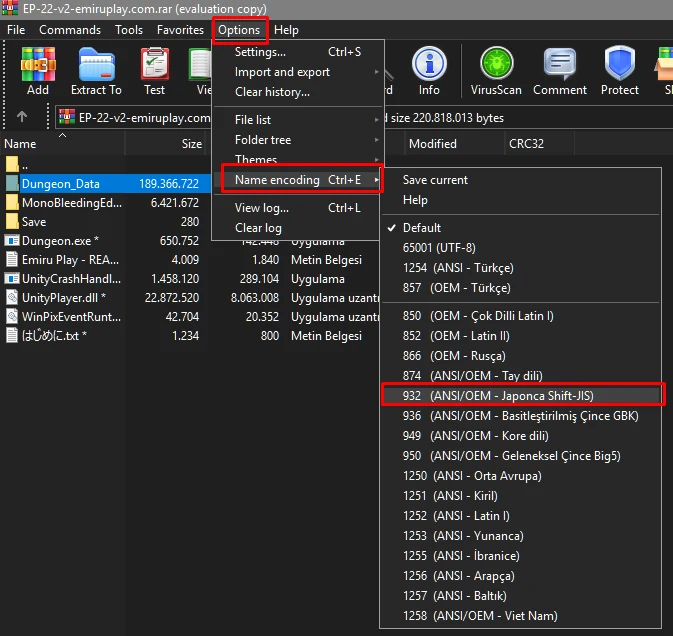
🔴 To avoid game errors, set your WinRAR’s Name Encoding to Japanese. Please check the instruction below:
- Your system needs some components to run and play games smoothly.
- Download my software pack HERE (Password: emiruplay.com). This pack includes everything you need for your PC.
- Install these IMPORTANT components:
- DirectX 9.0c: Run “DXSETUP.exe” to install.
- DirectX 11: Run “DXSETUP.exe” to install.
- Visual C++ Redistributable Runtimes: Follow the included instruction note to install.
- RPG Run Time Package: Install all of these packages if you want to play RPG games.
- After installing all the programs, restart your PC. Done.
👉 The software pack above already includes everything mentioned in Sections 3, 4, 5 and 6.
⚠️ ALL CONTENT IS TESTED BEFORE UPLOAD. IF YOU’VE FOLLOWED EVERYTHING CORRECTLY AND STILL GET THE ERRORS. ⚠️
⚠️ WE’RE SORRY, WE HAVE NO IDEA WHY. ⚠️
3/ Some Japanese games require a Japanese system locale
More Details
- You can try to install Locale Emulator: DOWNLOAD HERE (Password: emiruplay.com).
- After you have installed Locale Emulator, right-click the game’s EXE file and choose Locale Emulator → Run in Japanese (Admin) to play the game.
STEP 1
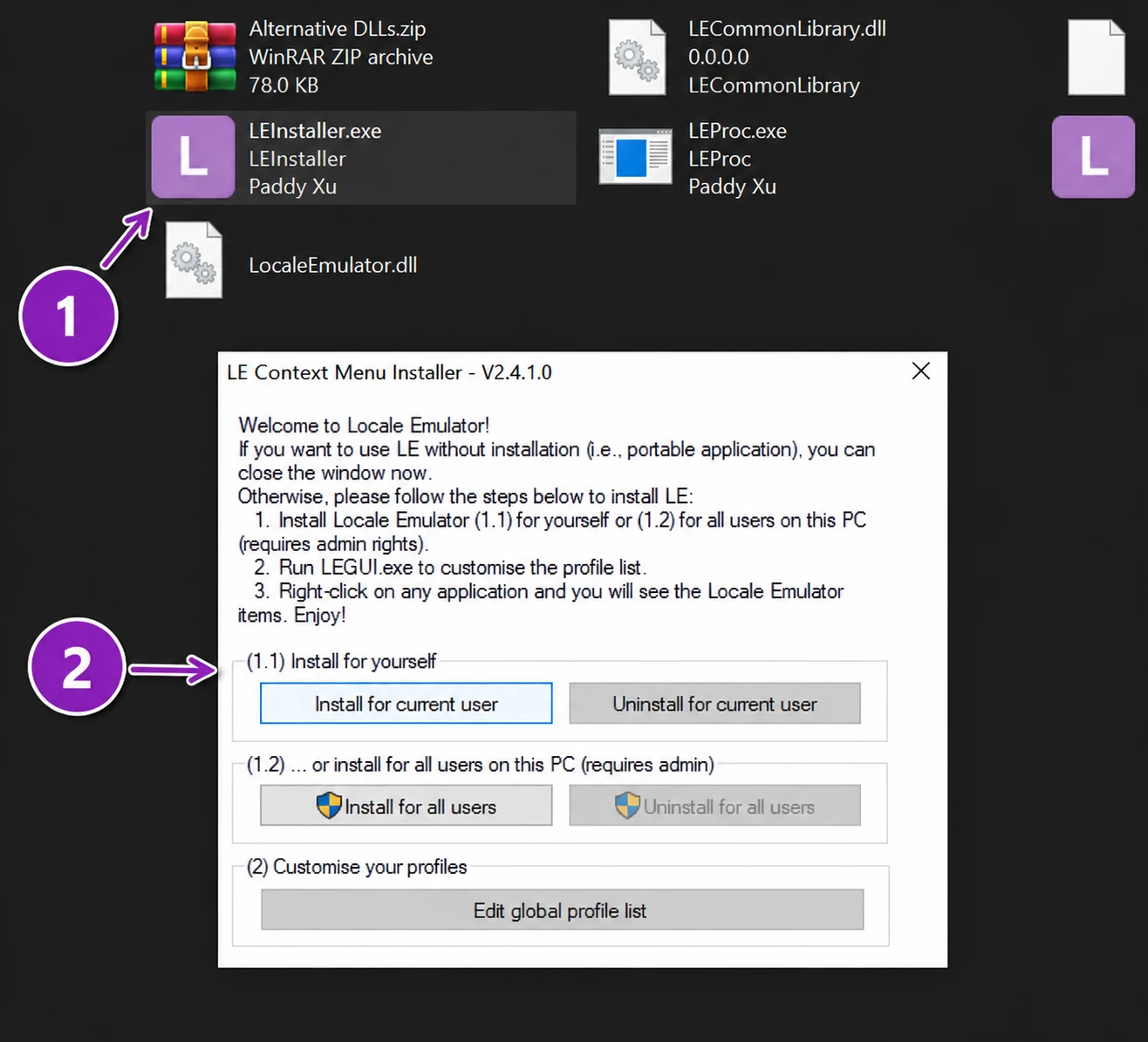
STEP 2
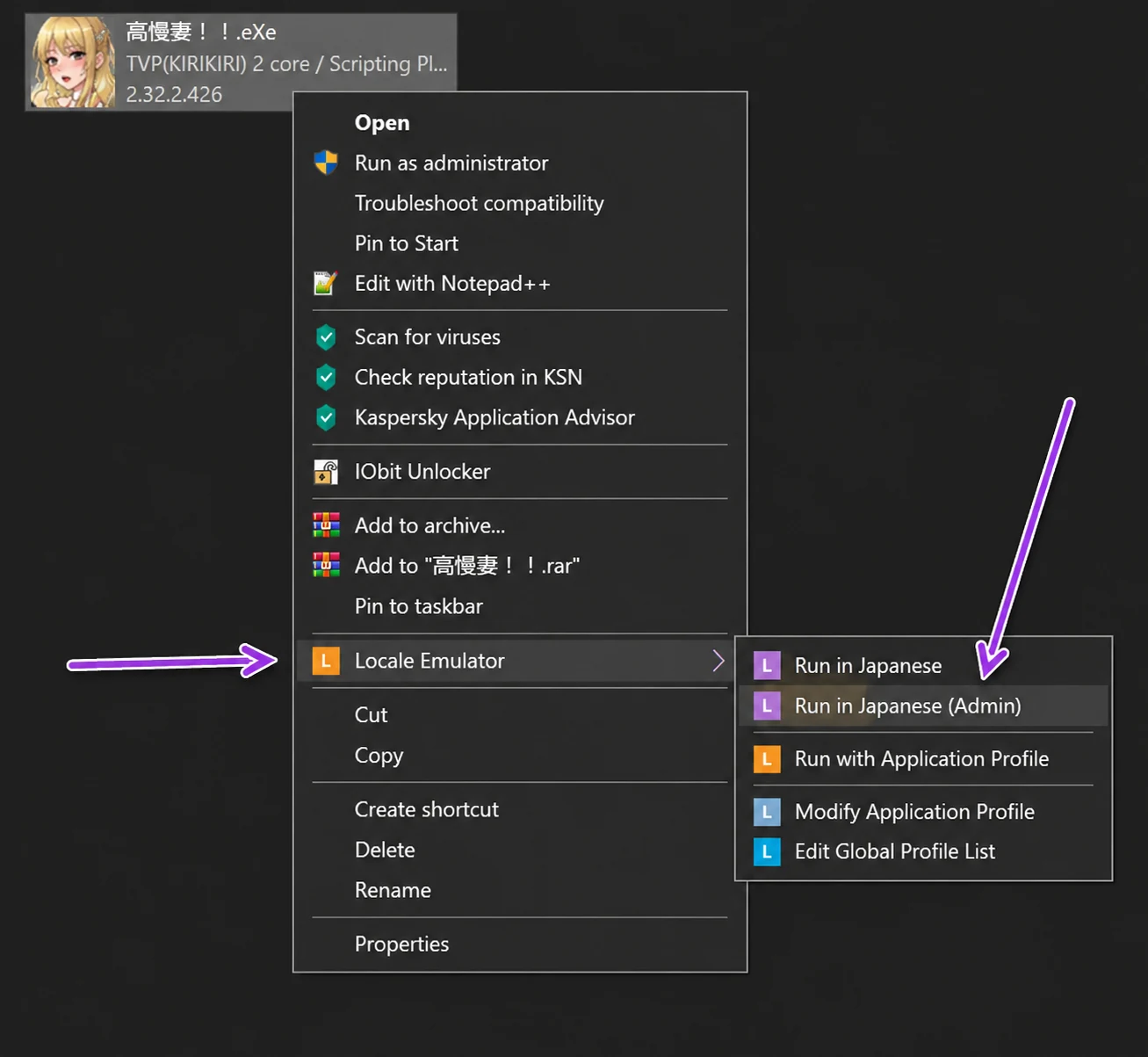
4/ IF YOU GET AN ERROR “RGSS *.dll could not be found” or “RPG RTP is required”
More Details
Install “RPG MAKER VX ACE”, “RPG Maker VX” & “RPG MAKER XP” => https://www.rpgmakerweb.com/downloads
5/ Profile error occurred (NW.js)
More Details
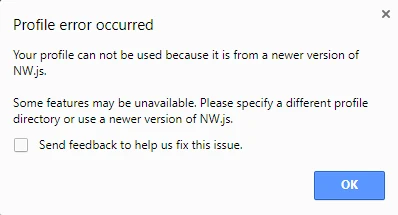
If you get the above pop-up error, go to C:\Users\%YOUR_USERNAME%\AppData\Local (if you don’t see the location, enable “Show hidden files, folders, and drives” in Windows Explorer).
Before deleting anything, close the game and back up its save files. Delete the affected game’s User Data and nwjs folders only after confirming they belong to that NW.js game. Done.
6/ HOW TO DOWNLOAD/PLAY ANDROID GAMES?
More Details
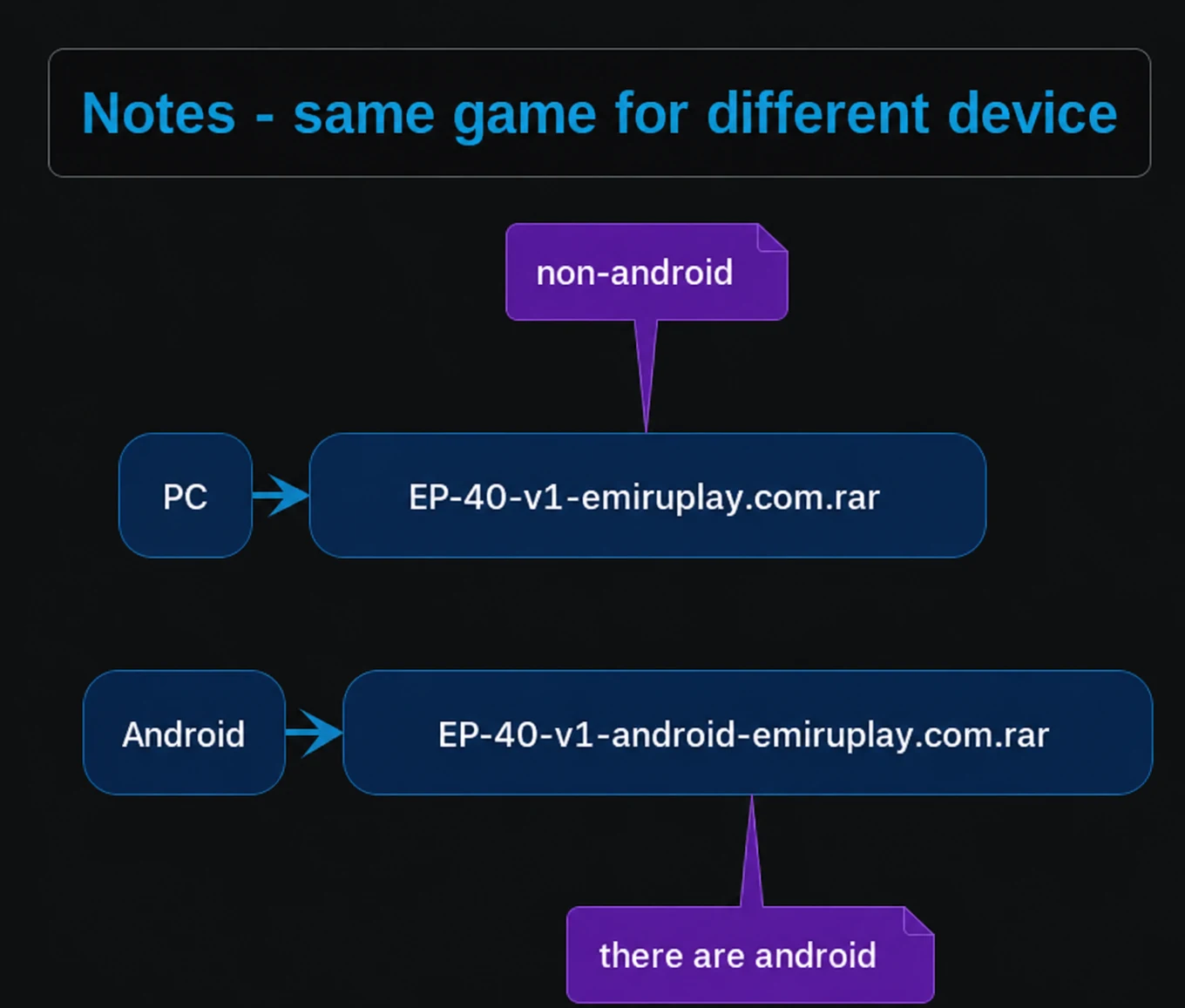
This is a website for Windows games and Android is just a side thing. Games with the “ANDROID” tag are games that have an APK file for download and can be played on Android. To get the best results, play on a PC.
For privacy, APK files are compressed into RAR files. Please download the correct file named Android. Files without the Android name are for PC.
You must have the RAR app on Play Store to extract the file.
7/ HOW TO PLAY THE GAMES WITH MULTIPLE PARTS?
More Details
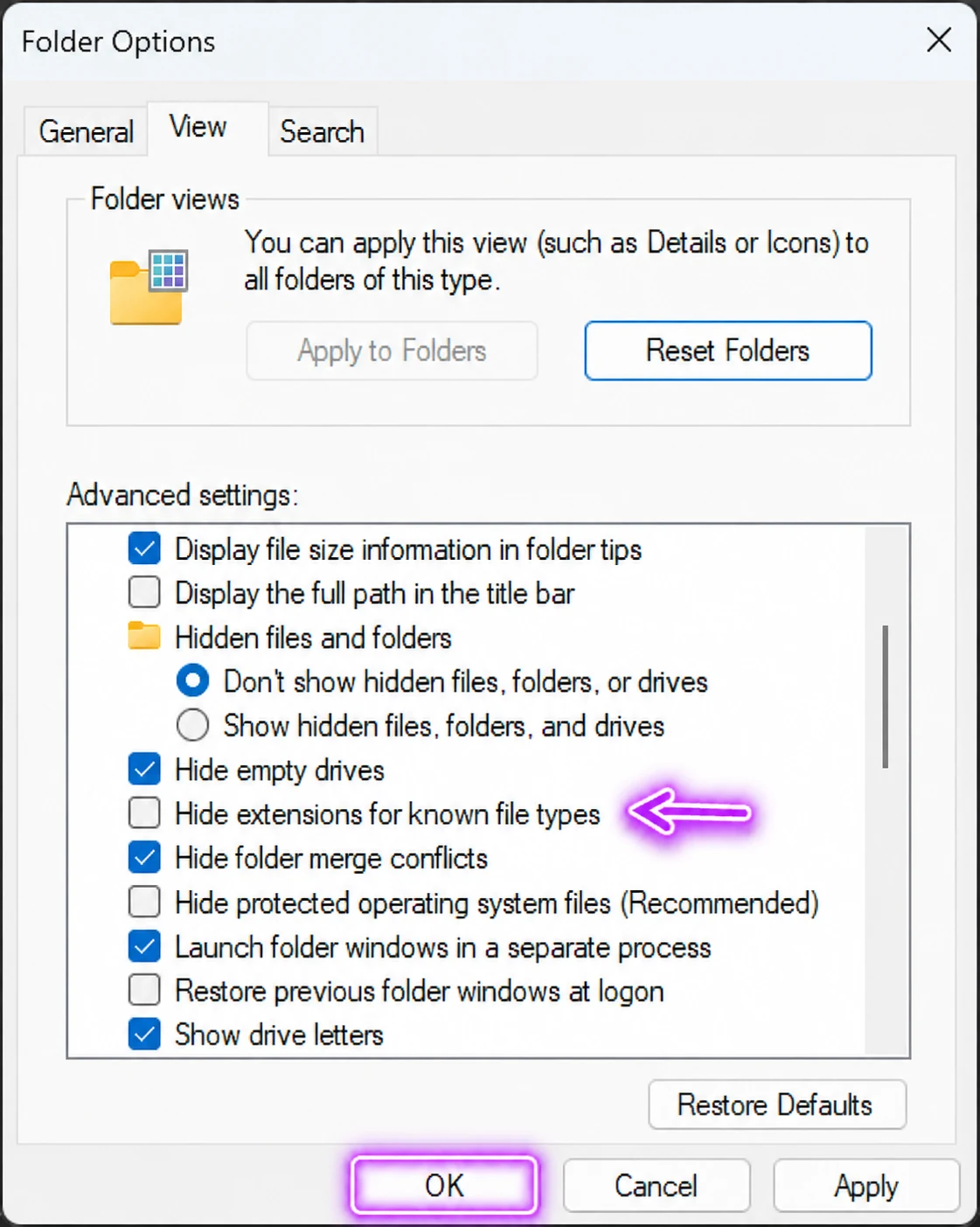
First of all, uncheck “Hide extensions for known file types” in Windows Explorer’s Folder Options.
⦁ Download ALL the parts.
⦁ Place all the parts in the same folder; all parts must have the same name.
⦁ Extract the “part1.rar” (or “part01.rar”) file with the newest version of WinRAR.
⦁ Done.
8/ IF YOU CAN’T WATCH VIDEOS, YOU WILL NEED TO INSTALL/UPDATE YOUR CODEC PACK.
More Details
I highly recommend K-Lite Codec Pack Mega: https://codecguide.com/download_k-lite_codec_pack_mega.htm
9/ I CANNOT DOWNLOAD FROM MEGA
More Details
⦁ MEGA has a 5GB limit on FREE users, when you’ve used all of the quotas, you can’t download anymore (unless you have the PRO plan).
⦁ You can try to use a VPN to bypass the quotas on the FREE plan.
⦁ Otherwise, please use other download links since we can’t do anything about this.
10/ IS THE FILE SAFE?
More Details
• Files are scanned before publishing, but no website can guarantee that every download is free from malware. Keep Windows Security or another reputable antivirus enabled and scan both the archive and extracted files.
• If antivirus software detects something, do not automatically assume it is a false positive. Check it with a second trusted scanner and avoid running the file until you can verify it. Downloading and running any file remains your choice.
11/ THE MESSAGE “SORRY, YOU HAVE BEEN BLOCKED” APPEARS.
More Details
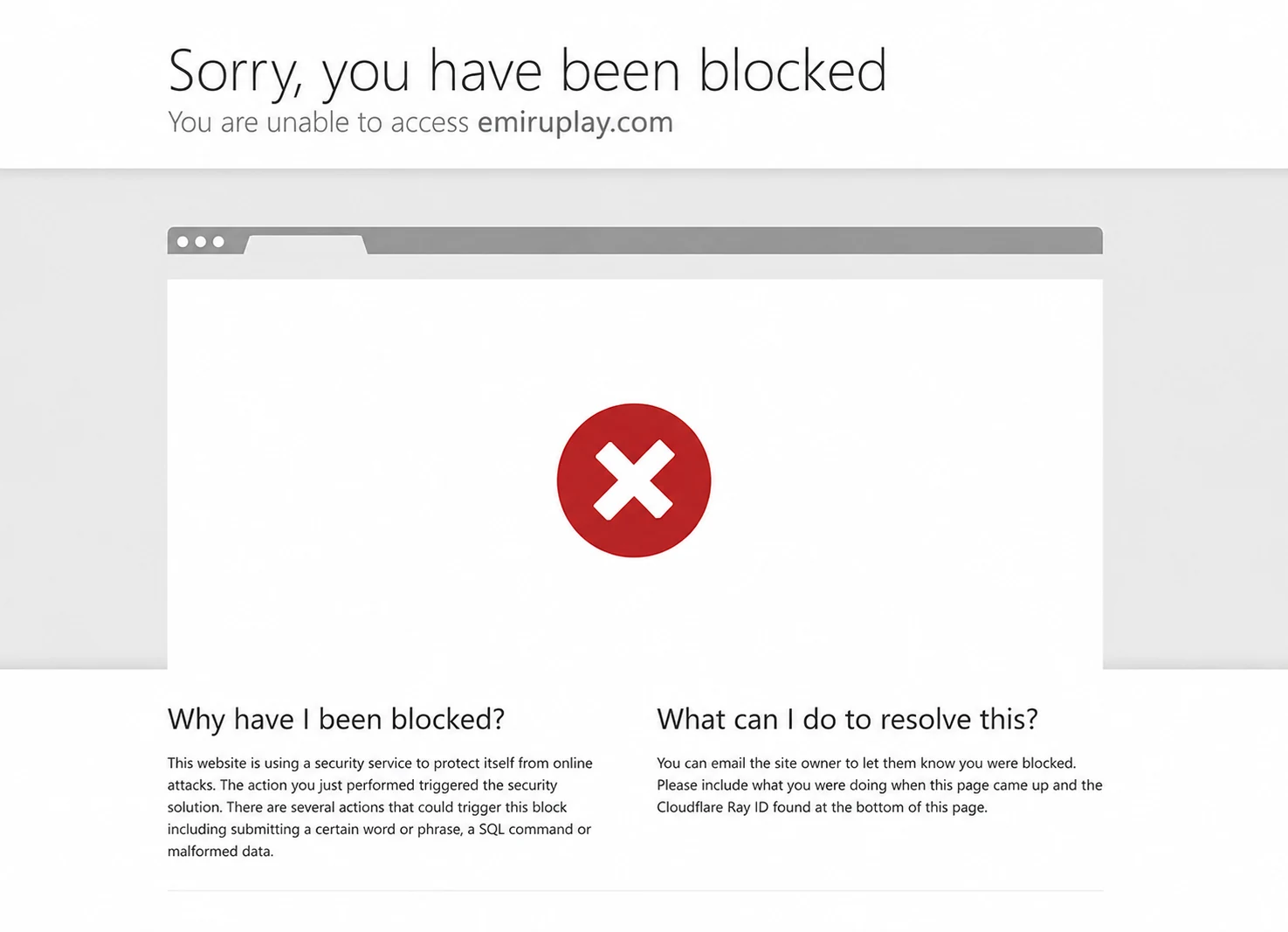
The site is currently blocked from all access in certain countries. Please use a free VPN to visit the site if you’re from those countries. It’s also hard for us but our team has reasons to do it. Thank you for understanding.
P/S: Cloudflare 1.1.1.1 is NOT a VPN, so we don’t expect it will work.